IT Monitoring for SMEs: 2026 guide to supervising your infrastructure
IT monitoring for SMEs: tools, alerts, and KPIs to continuously supervise your infrastructure. Practical guide by ECLAUD IT, Reunion Island.
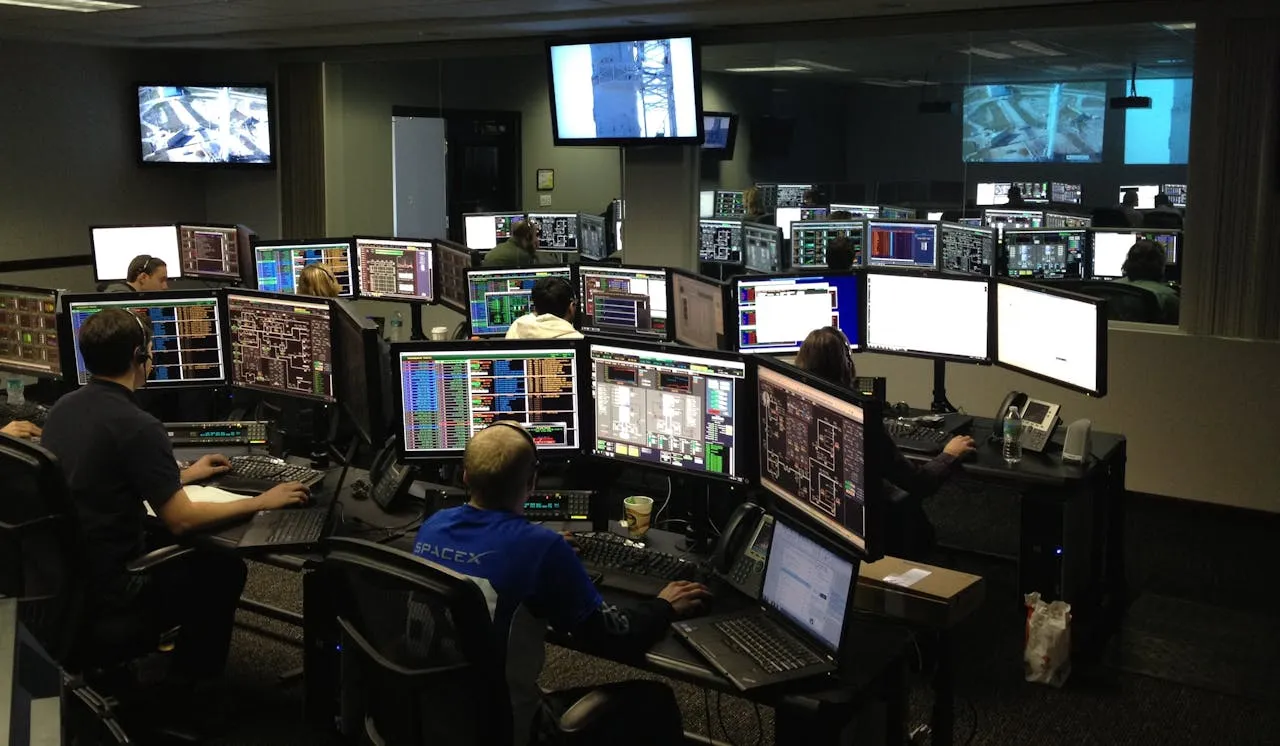
IT monitoring can watch selected servers, network devices and applications to detect anomalies. Monitored assets, collection windows, thresholds, alert handling and human response must be defined in the contract; monitoring does not guarantee business continuity.
What is IT monitoring?
IT monitoring refers to the automatic, continuous surveillance of your information system. Probes collect real-time indicators on your equipment — CPU load, disk space, response times, service availability. As soon as a threshold is exceeded, an alert is sent to the responsible teams.
It is the difference between knowing your server is at 95% disk saturation before it goes down, or finding out when your employees can no longer work.
Monitoring vs supervision: what is the difference?
The two terms are often used interchangeably. The distinction is useful when choosing the right level of service.
| Criterion | Monitoring | Supervision |
|---|---|---|
| Role | Real-time data collection and measurement | Oversight, analysis, and decision-making |
| Action | Generates automatic alerts | Triggers human interventions |
| Tool | Probes, agents, dashboards | ITSM processes, SLAs, reporting |
| Level | Technical | Business + technical |
When a managed IT contract includes monitoring, it should state what tools collect, when humans analyse alerts and what intervention responsibilities apply.
Why SMEs are more vulnerable without monitoring
According to EMA Research (2024), 80% of IT incidents are preceded by measurable warning signs. Without a collection system in place, those signals go unnoticed. An SME without monitoring is operating in the blind spot of its own IT environment.
On Reunion Island, this vulnerability is amplified by the island context: connections to mainland datacenters are subject to higher latency, and getting an on-site technician takes longer than in mainland France or other well-connected regions. Every hour of unanticipated downtime costs proportionally more.
Why monitoring is essential for your SME
IT monitoring is not reserved for large companies with dedicated IT departments. For an SME with 10 to 100 employees, it is often the only way to maintain an acceptable level of service without hiring a full-time technical profile.
Stat Box — The average cost of an undetected IT outage: $14,056/minute according to EMA Research (2024). For SMEs, the proportional impact on revenue is even greater: fewer available workstations means zero tolerance for interruptions.
Ensuring business continuity
A server saturated at 95% disk does not crash instantly — it progressively degrades performance, then stops. An expiring SSL certificate cuts access to the website and online applications without warning. Abnormal latency on the database slows down all line-of-business applications in a cascade effect.
Monitoring detects these signals well before the breaking point. An alert on disk saturation at 85% leaves time to plan a cleanup or expansion — without service interruption. This preventive IT maintenance is what turns emergencies into simple scheduled tasks.
Reducing maintenance costs
Reactive IT management systematically generates cost overruns: emergency interventions billed at premium rates, hardware replacement without comparison shopping, unmeasured lost productivity. A Ponemon Institute study (2023) estimates that preventive maintenance costs on average 3 to 5 times less than corrective maintenance for equivalent equipment and scope.
With monitoring, problems are identified early. Interventions are planned. End-of-life components are replaced before they fail.
Strengthening the security of your IT infrastructure
Monitoring is not a cybersecurity tool per se — but it directly contributes to incident detection. A sudden increase in outbound network traffic can signal data exfiltration. Repeated login attempts on an admin account indicate a brute-force attack in progress.
Combined with an IT security audit, monitoring forms an accessible first line of detection even for SMEs without a dedicated security officer.
What does IT monitoring cover in an SME?
A monitoring system covers your entire infrastructure — from physical servers to online services. Here are the four essential areas for an SME.
Physical and virtual infrastructure
This is the core of monitoring: your servers (physical or VMs), NAS devices, and storage equipment. The indicators tracked are CPU usage, RAM memory load, available disk space, component temperature, and network interface status.
A NAS drive approaching saturation or a processor regularly running at 90% are clear — and measurable — signals. Without monitoring, they remain invisible until the failure.
Network and connectivity
Bandwidth, latency, network traffic management, packet loss, VPN availability: network monitoring watches connectivity quality at every level — switches, Wi-Fi access points, firewalls, routers.
For businesses on Reunion Island, this area is critical. Connection quality to mainland datacenters varies, and bandwidth degradation can block SaaS applications (online ERP, collaboration tools, cloud email) without the issue being directly visible on the user side. Monitoring the ISP link in real time allows you to open a ticket at the right moment, backed by metrics.
You can also integrate the supervision of remote access for remote workers into this network perimeter.
Applications and line-of-business services
The availability of your ERP, CRM, email, or accounting software is just as important as that of your servers. A service can be technically “up” but responding in 8 seconds — making your employees unproductive without anyone raising an alert.
Application monitoring measures response times, error rates, critical processes, and API availability. If your ERP starts responding in 4 seconds instead of 1, you know about it before the first complaints arrive.
Backups and data
Backup supervision is one of the most neglected areas — and one of the most critical. A backup job can fail silently for weeks without anyone noticing.
Monitoring watches backup job execution, return codes (success/error), backup sizes (an abnormally small backup often signals corruption), and insufficient space alerts on the target. The first backup failure must generate an immediate alert — not at D+30 during the next incident.
Essential KPIs to monitor for an SME
An effective monitoring dashboard does not alert on everything — it alerts on what matters for the business. The indicators below are examples only and must be adapted to the actual SLA, equipment baseline and criticality of each service.
| KPI | Recommended alert threshold | Impact if exceeded |
|---|---|---|
| CPU usage | > 85% for 15 min | Risk of saturation and widespread slowdowns |
| Free disk space | < 15% | Imminent service failure |
| Service availability | < 99.5% over 30 days | Degraded SLA, productivity losses |
| Application response time | > 3 seconds | Direct impact on user productivity |
| Backup failures | 1 failure | Risk of irrecoverable data loss |
| Suspicious login attempts | > 5 in 1 minute | Potential brute-force attack |
| Component temperature | > 75 °C | Short-term hardware failure |
| RAM memory load | > 90% for 10 min | System instability |
Key Takeaway — These thresholds are starting points. A server that normally runs at 70% CPU does not have the same profile as a test server rarely under load. Calibrate your alerts based on the actual baseline of each piece of equipment — and revise them after every infrastructure change.
The MTTD (Mean Time To Detect) and MTTR (Mean Time To Resolve) indicators should also be tracked at the contract level: they measure the effectiveness of your supervision over time.
How to set up IT monitoring in your SME
Setting up monitoring is not something you improvise — but it is not reserved for large organizations either. Here are the four key steps.
Step 1: Map your infrastructure
You cannot monitor what you do not know. The first step is a comprehensive inventory: servers, workstations, network equipment, critical applications, online services. This SME IT audit checklist covers this scope methodically.
Then define the critical services — those whose downtime directly impacts your business. These are where priority alerts will focus.
Step 2: Choose the right tools
The market offers solutions for every profile — open source for technical teams, SaaS for SMEs without IT resources, or MSP tools for providers managing multiple clients.
| Tool | Type | Suited for SMEs | Cost |
|---|---|---|---|
| Zabbix | Open source | Yes (> 10 devices) | Free |
| Prometheus + Grafana | Open source | Yes (cloud/Linux infra) | Free |
| PRTG Network Monitor | Commercial | Yes (< 100 free sensors) | Freemium |
| Datto RMM | MSP | Via provider | On request |
| ManageEngine OpManager | Commercial | Yes | Paid |
Zabbix and Prometheus are powerful but require technical expertise for initial configuration. PRTG is more accessible, with a graphical interface and preconfigured templates. For an SME without an IT team, the most direct path remains entrusting these tools to a specialized provider.
Step 3: Configure intelligent alerts
The quality of a monitoring system is measured by the signal-to-noise ratio of its alerts. Too many alerts, and teams become desensitized — real emergencies go unnoticed in the noise. Too few, and critical incidents are not escalated.
Configure progressive thresholds: a warning at 80% CPU, a critical alert at 90%. Use moving averages to avoid false positives from normal temporary spikes. Match notification channels to criticality: email for warnings, SMS or Teams for critical alerts.
Step 4: Create an operational dashboard
A good dashboard provides a summary view of the infrastructure’s status at a glance — green/amber/red per service, trends over 24 hours or 7 days, active alerts. It serves the technical team for daily operations, and management for monthly reporting.
Plan two levels of view: a detailed technical view for the provider or IT manager, and a summary view (availability of main services, monthly incidents) for leadership.
In-house monitoring or outsourcing: which to choose?
This is the central question for an SME without an internal IT department. Both approaches have their logic — but they do not apply to the same contexts.
| Criterion | In-house monitoring | Outsourcing (managed IT) |
|---|---|---|
| Initial cost | High (hardware, licenses, training) | Low (monthly subscription) |
| Internal expertise required | High | None |
| Monitoring availability | Defined internally | Defined by contract |
| Alert responsiveness | Defined internally | Contractual SLA target |
| Suited for SMEs < 50 employees | Rarely | Yes |
| On-site intervention | Depends on internal resources | Included per contract |
In-house monitoring works well for SMEs that have at least one dedicated IT technical profile and enough equipment to justify the investment in tools and training. Below that threshold, the cost-effectiveness clearly favors outsourcing.
Contract point — A monitoring agreement should distinguish automated collection from human alert handling. It must state the monitored systems, service hours, escalation path, on-call arrangements and on-site service area.
Three complementary reads if you are in the decision-making phase: our article on the 5 signs your SME needs managed IT, our guide on why outsource your IT maintenance, and the details of our managed IT service with monitoring included.
Scoping a monitoring engagement with ECLAUD IT on Reunion Island
An ECLAUD IT proposal states whether monitoring is included and identifies the systems, collection windows, thresholds, human response hours and reporting obligations in scope.
What our monitoring includes:
- Monitoring schedules for the agreed infrastructure (servers, network, applications)
- SMS and email alerts configured to your SLAs
- Client dashboard with real-time access to your IT system status
- On-site service area and response objectives defined in the SLA
- Monthly reports with performance indicators and recommendations
An infrastructure assessment can map the existing environment, identify risks and define a proposed monitoring scope. Its perimeter, deliverables and price must be confirmed first.
Discuss your assessment scope — or review our IT supervision services.
Frequently asked questions
How much does IT monitoring cost for an SME?
With open-source tools like Zabbix or Prometheus, the main cost is human: configuration, maintenance and alert handling. For an ECLAUD IT service, the monitored assets, setup work, recurring price, service hours and SLA are specified in the proposal.
Is it better to outsource IT monitoring?
For an SME without a dedicated IT team, outsourcing can provide tools and an agreed alert-handling process. Automated monitoring hours, human response coverage, SLA targets and on-site conditions must be confirmed in the contract.
Does IT monitoring protect against cyberattacks?
Partially. Monitoring detects network traffic anomalies, unusual login attempts, and suspicious system modifications. It provides a useful detection layer, but does not replace a firewall, EDR, or regular security audit. France’s national cybersecurity agency ANSSI (comparable to CISA in the US or NCSC in the UK) recommends combining technical supervision with active security measures.
What is the difference between monitoring and managed IT?
Monitoring is a component of managed IT services. Managed IT integrates monitoring, preventive maintenance, user support, update management, and on-site interventions. A monitoring tool alone watches and alerts — it does not resolve problems. Managed IT adds the human loop that turns an alert into action.
Should infrastructure be monitored 24/7?
Automated monitoring may run continuously when that schedule is configured and contracted. Human alert handling, on-call coverage, SLA targets and on-site conditions are separate items that must be confirmed in writing and compared using actual costs.
See also: Outsourcing IT maintenance: costs, SLA, and methodology, our complete SME backup guide, our IT audit checklist, and our secure remote work guide.