Secure remote work: the IT guide for SMEs
VPN, MFA, managed devices: how to secure remote work in your SME without sacrificing productivity. Practical guide by ECLAUD IT.

Why the real challenge of remote work is technical, not organisational
71% of employers haven’t updated their remote work policy since 2023 (Owl Labs, 2025). The question is no longer whether to allow working from home — that’s settled. The question that remains for SMEs is how to secure it.
An employee working from their living room on their personal Wi-Fi, without a VPN, on an unmanaged device, is an open door to your company network. ANSSI (France’s national cybersecurity agency) makes this clear in its remote work recommendations (cyber.gouv.fr): without appropriate technical measures, the risks of remote work are significantly higher than on-site.

Does remote work increase the risk of cyberattack?
Yes — and the numbers confirm it. According to the IBM Cost of a Data Breach 2024 report, data breaches involving remote work cost an average of 173,000 EUR more than those confined to corporate networks. For an SME, that’s often insurmountable.
The most common attack vectors in remote work are targeted phishing (the employee is alone, less vigilant, often on a personal screen), use of unsecured public or home Wi-Fi, and access via uncontrolled personal devices. A single compromised employee is enough for an attacker to pivot into the company’s entire information system.
Three real-world examples observed in SMEs:
- An accountant checks emails from a cafe’s Wi-Fi. Their password is captured via a rogue Wi-Fi access point. The next day, the attacker accesses the accounting software and changes the bank details of the main supplier.
- A sales rep uses their personal PC to access client files via SharePoint. Their PC was infected with undetected spyware. Three months of client data are exfiltrated.
- An office assistant receives a phishing email mimicking a Teams notification. They enter their credentials on a fake page. The attacker gains access to the company’s email and sends payment requests to clients.
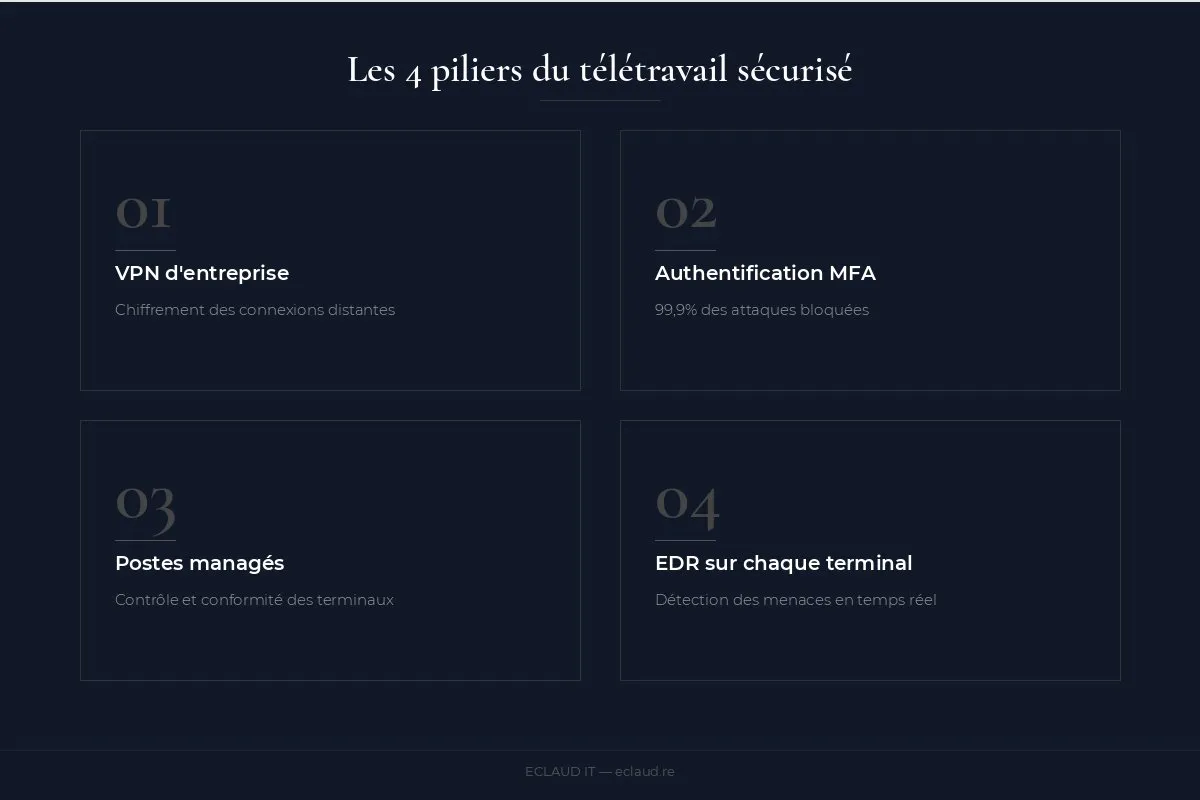
The 4 pillars of secure remote work
1. Business VPN
A VPN encrypts the connection between the employee’s device and your network. Without a VPN, data travels unencrypted over potentially compromised Wi-Fi networks.
Recommended solutions: Fortinet FortiClient (if you have a Fortinet firewall), WireGuard, or the VPN built into Microsoft 365 Business Premium (via Conditional Access).
For an SME with fewer than 30 people, the SSL VPN built into a Fortinet or Sophos firewall is usually sufficient. WireGuard offers a lightweight, high-performance alternative for technical teams. What matters isn’t the solution chosen — it’s that everyone connects systematically, before accessing anything work-related.
An often-overlooked detail: split tunnelling. This configuration routes only business traffic through the VPN, while the rest (streaming, social media) goes through the local connection. It improves performance and reduces VPN load — but requires careful configuration to avoid creating vulnerabilities.
2. Multi-factor authentication (MFA)
A password alone is no longer enough. MFA adds a second verification step (mobile app, SMS, hardware key) that blocks 99.9% of password theft attacks (source: Microsoft, 2024).
Deployment: enable MFA on Microsoft 365, the VPN, and critical application access points. Setup time depends on the accounts, devices, authentication methods and required testing.
SMS-based MFA is the minimum — but not the most robust. A sufficiently motivated attacker can hijack a phone number through a SIM swap attack. For high-access accounts (CEO, accountant, HR), favour an authenticator app (Microsoft Authenticator, Google Authenticator) or a physical FIDO2 key (YubiKey). These solutions are more resistant to sophisticated attacks and cost no more to deploy.
3. Managed devices (no BYOD)
The employee’s personal device is not under your control: missing or outdated antivirus, unauthorised software, personal data mixed with business data.
The rule: provide a company-owned device, managed through Intune or an MDM solution. Cost: 600 to 1,200 EUR per device (amortised over 3-4 years).
BYOD (Bring Your Own Device) is tempting — no equipment costs, employees know their machines. But the risks are real and difficult to mitigate:
Detailed BYOD risks:
- No encryption: a personal PC generally doesn’t have BitLocker enabled. If lost or stolen, business data is accessible to anyone.
- Data mixing: the employee stores client files in their personal “Documents” folder. When they leave, recovering business data is very complicated both legally and technically.
- Uncontrolled software: games, cracked software, dubious toolbars — all of these can introduce malware onto a company network.
- GDPR compliance: if clients’ personal data is stored on a private device, the company can be held responsible in case of a leak, even if it never had access to that device (CNIL, GDPR guide for SMEs). The CNIL is France’s data protection authority; similar rules apply across all EU member states under GDPR.
If BYOD is unavoidable (tight budget, seasonal workers), at minimum implement a MAM (Mobile Application Management) solution that isolates business applications in a secure container — without touching personal data.
4. EDR on every endpoint
Traditional antivirus is no longer enough. An EDR (Endpoint Detection and Response) solution detects suspicious behaviour in real time: files being mass-encrypted (ransomware), connections to unknown servers, a programme attempting to extract data.
Microsoft Defender for Endpoint — included in Business Premium — is now one of the most effective EDR solutions on the market for SMEs. It integrates natively with Microsoft 365, feeds alerts into a centralised dashboard, and can automatically isolate a compromised device from the rest of the network. No additional configuration and no extra cost compared to a Business Premium licence.
For SMEs with higher requirements (medical, legal, sensitive data sectors), CrowdStrike Falcon or SentinelOne offer advanced detection capabilities — but at a higher per-unit cost. These solutions are included in our managed IT maintenance offering.
Is Microsoft 365 Business Premium enough to secure remote work?
For an SME modernising remote work, the Microsoft 365 licence must be selected from actual identity, device and security requirements. Prices change and must be checked with Microsoft.
The licence includes — at no extra cost — Microsoft Intune for device and mobile management, Conditional Access to control who accesses what from which device, Microsoft Defender for Endpoint (EDR), advanced anti-phishing protection (Defender for Office 365 Plan 1), and Azure AD P1 for conditional access policies.
What would have required 5 to 7 separate solutions five years ago is now bundled in a single licence. For an SME of 10 to 50 people, it’s the most coherent stack — not the cheapest, but the most complete for the price.
Conditional Access deserves particular attention. This feature lets you define rules such as: “if a user attempts to connect from an unusual country, block access and request additional verification” or “if the device isn’t compliant (no BitLocker, no up-to-date antivirus), deny access to sensitive data”. It’s adaptive security — requiring no additional infrastructure.

How to train employees in cybersecurity
Technology alone isn’t enough. An untrained employee who clicks a phishing link can bypass every tool in place.
Training doesn’t need to be complicated. A 2-hour session once a year, with concrete examples (real phishing email screenshots, attack simulations), produces better results than an e-learning module forgotten the next day. A few key principles to cover:
- Recognising a phishing email: check the sender’s address (not just the display name), hover over links before clicking, watch for unusual urgent requests.
- Never share credentials, even with a “colleague from IT” who calls — this is a classic social engineering technique.
- Report any suspicious incident immediately, even if you’ve already clicked by mistake. The embarrassment of reporting costs far less than the incident itself.
Tools like Microsoft Attack Simulator (included in Business Premium) allow you to send fake phishing emails to employees to test their vigilance — risk-free, with reports on who clicked. It’s a good starting point for identifying priority training needs.
Remote fleet monitoring
Remote monitoring lets you supervise the status of remote workstations as if they were in the office: updates, disk space, backup status, security alerts. Without this visibility, you’re blind to half your fleet.
An RMM (Remote Monitoring and Management) tool like NinjaRMM or N-able lets your IT provider see the real-time status of every device, apply updates remotely, run remediation scripts without disturbing the user, and be alerted before a hard drive fails or a backup errors out. That’s the difference between reactive management (calling when things break) and proactive management (intervening before they break).
What budget should you plan for securing 15 remote workstations?
| Item | Estimated cost |
|---|---|
| Fortinet VPN (licence) | Check current vendor pricing |
| MFA Microsoft 365 | Check current licence features |
| Dell/Lenovo laptops | Specify the configuration and request a quote |
| Intune (fleet management) | Check current licence features |
| EDR (Defender for Endpoint) | Check current Microsoft licensing |
| Monitoring | Coverage and price defined in the applicable contract |
Where to start?
An infrastructure audit can examine remote-work risks under a written scope. Checks, duration, deliverables and price are confirmed before work begins; no client reference is asserted here.
See also: our SME IT audit checklist, the SME backup guide, our Microsoft 365 migration guide and outsourcing IT maintenance for SMEs. Remote work security is a key component of our managed IT contracts.
Frequently asked questions
Does remote work increase the risk of cyberattack?
Yes. Devices outside the corporate network are exposed to uncontrolled environments: home or public Wi-Fi, devices shared with family members, lack of centralised monitoring. IBM estimates that breaches involving remote work cost an average of 173,000 EUR more. Without a VPN, MFA, and managed devices, every remote work session is a risk exposure.
Is a VPN necessary for remote work?
Yes, in most cases. A VPN encrypts data in transit and ensures the employee accesses company resources through a secure tunnel, even from an uncontrolled network. The only reasonable exception: if the entire IT system is hosted in Microsoft 365 with Conditional Access configured, the VPN can be replaced by strict conditional access policies — but this requires expert configuration.
Is Microsoft 365 Business Premium enough to secure remote work?
For the vast majority of SMEs with 5 to 50 people, yes. Business Premium bundles the essential tools in a single licence: Intune (device management), Conditional Access (access control), Defender for Endpoint (EDR), and advanced anti-phishing protection. Actual use of these features makes the difference — an unconfigured licence provides no protection.
How should you train employees in cybersecurity?
A 2-hour session per year with concrete examples (fake phishing emails, real scenarios) is more effective than an ignored e-learning module. Microsoft Attack Simulator, included in Business Premium, lets you send simulated phishing emails to test team vigilance and identify who needs priority training. Cybersecurity is cultivated — it’s a behaviour, not a box to tick.